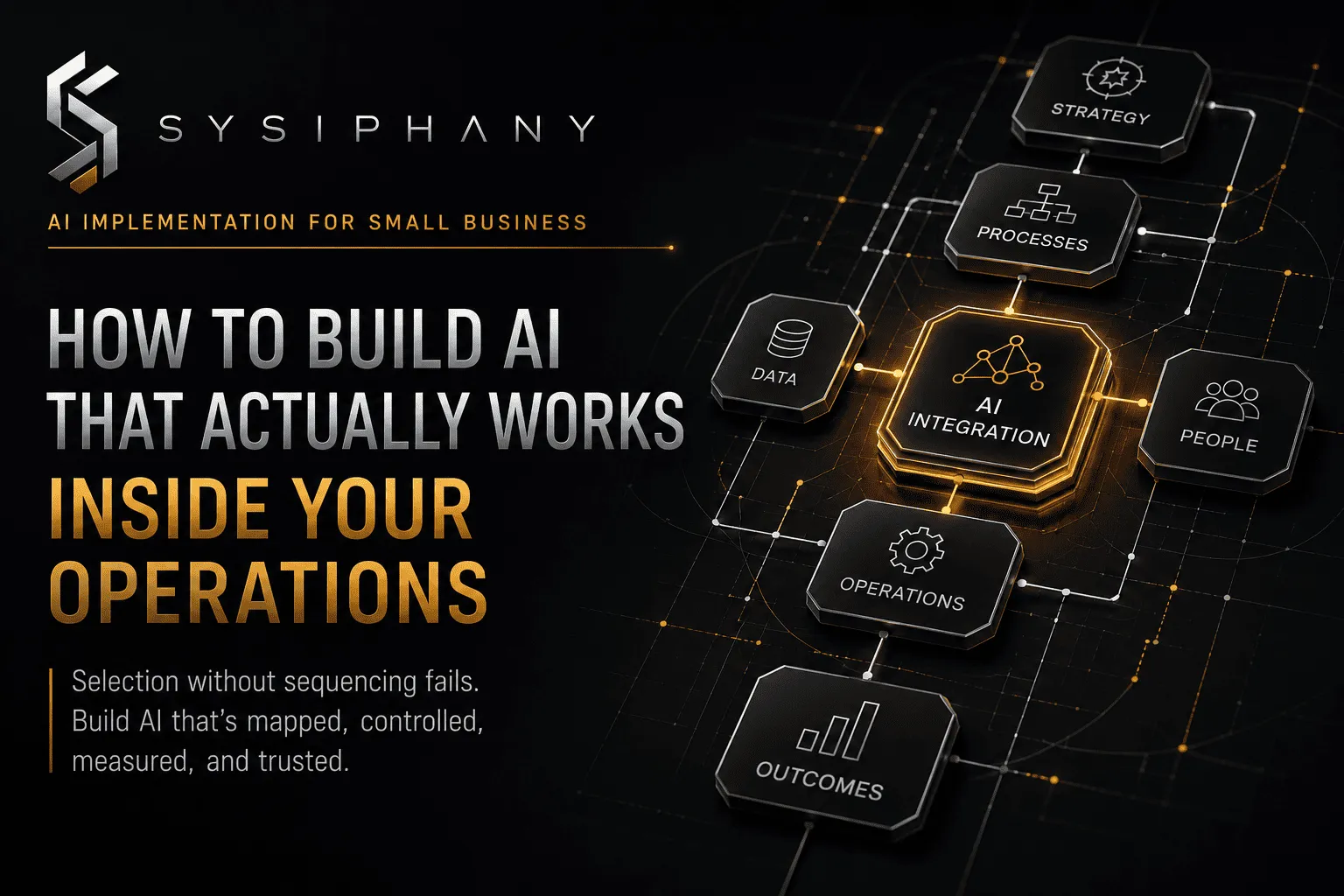
Choosing AI tools for small business only creates leverage when the workflow behind them is already clear. If systems, ownership, and review boundaries are missing, a new tool usually adds chaos.
That is the problem most founders miss. They start with the vendor comparison. They should start with the workflow.
The best AI tools for small business do not win because of the feature list. They win because the business already knows what the tool is supposed to support.
Founders and operators usually start from the wrong end: “Which AI tool should we buy?”
They compare demos, pricing, integrations, templates, review sites, and vendor claims. They add a second problem to the first problem.
The first problem was operational. The second problem is now tool sprawl on top of unclear operations.
This article is about choosing AI tools for small business in the right order. Workflow first. Tool second. Outcome always.
Quick answer: how should a small business choose AI tools?
A small business should choose AI tools only after the workflow, source of truth, owner, decision rules, review boundaries, and escalation path are clear enough to define what success looks like.
Otherwise, the tool is just a faster way to create more rework.
Before buying or signing anything, answer these questions for one workflow:
- What work should this tool improve?
- Where does that work start and end?
- Which system is the source of truth?
- Who owns the outcome after the tool runs?
- What can the tool decide without human approval?
- What must always pause for human judgment?
- What does done look like?
- How will the team know whether the tool helped?
If you cannot answer those questions, do not shop for a tool yet. Map the workflow first.
For the broader foundation, read AI Implementation for Small Business: How to Build AI That Actually Works.
What are AI tools for small business?
AI tools for small business are software that uses machine learning, natural language processing, document extraction, classification, summarization, routing, drafting, or recommendation to reduce manual work inside real business operations.
That includes:
- Inbound lead classification and routing
- Meeting summaries and action-item extraction
- Customer support triage and draft replies
- Invoice, document, and data extraction
- Reporting preparation and status summaries
- Content drafting, research support, and knowledge-base updates
- CRM cleanup and follow-up automation
- Inventory, ordering, and vendor-coordination support
The category is wide. That is the problem.
Not every tool fits every workflow. Not every workflow is ready for a tool. And not every “AI tool” is actually the right kind of automation.
Some tasks need traditional automation. Some need AI assistance. Some need clearer workflow design before either one helps.
Before evaluating vendors, the business must know which category it is in.
Why do most small businesses choose AI tools badly?
Most small businesses choose AI tools badly because they compare outputs before they inspect inputs.
A vendor demo shows the tool handling messy text, routing requests, drafting replies, or updating records. It looks like magic. It is not.
The demo works because someone designed a workflow with enough structure for the tool to follow. The small business sees the output and assumes the tool can create the structure. It usually cannot.
The common failure pattern looks like this:
- The founder hears about AI tools from a peer, podcast, or article.
- The team gets excited about saving time.
- They sign up for a tool without mapping the workflow.
- The tool touches unclear data.
- The output is inconsistent.
- The team loses trust in the output.
- The founder returns to doing it manually.
- The tool sits unused.
- The business blames the tool.
- The real problem was never the tool.
This repeats because the evaluation started at the wrong layer.
This is also why a source-of-truth review often matters more than tool selection. If the CRM, spreadsheet, inbox, Slack thread, and founder memory all carry different versions of the same reality, no tool can reliably support the workflow.
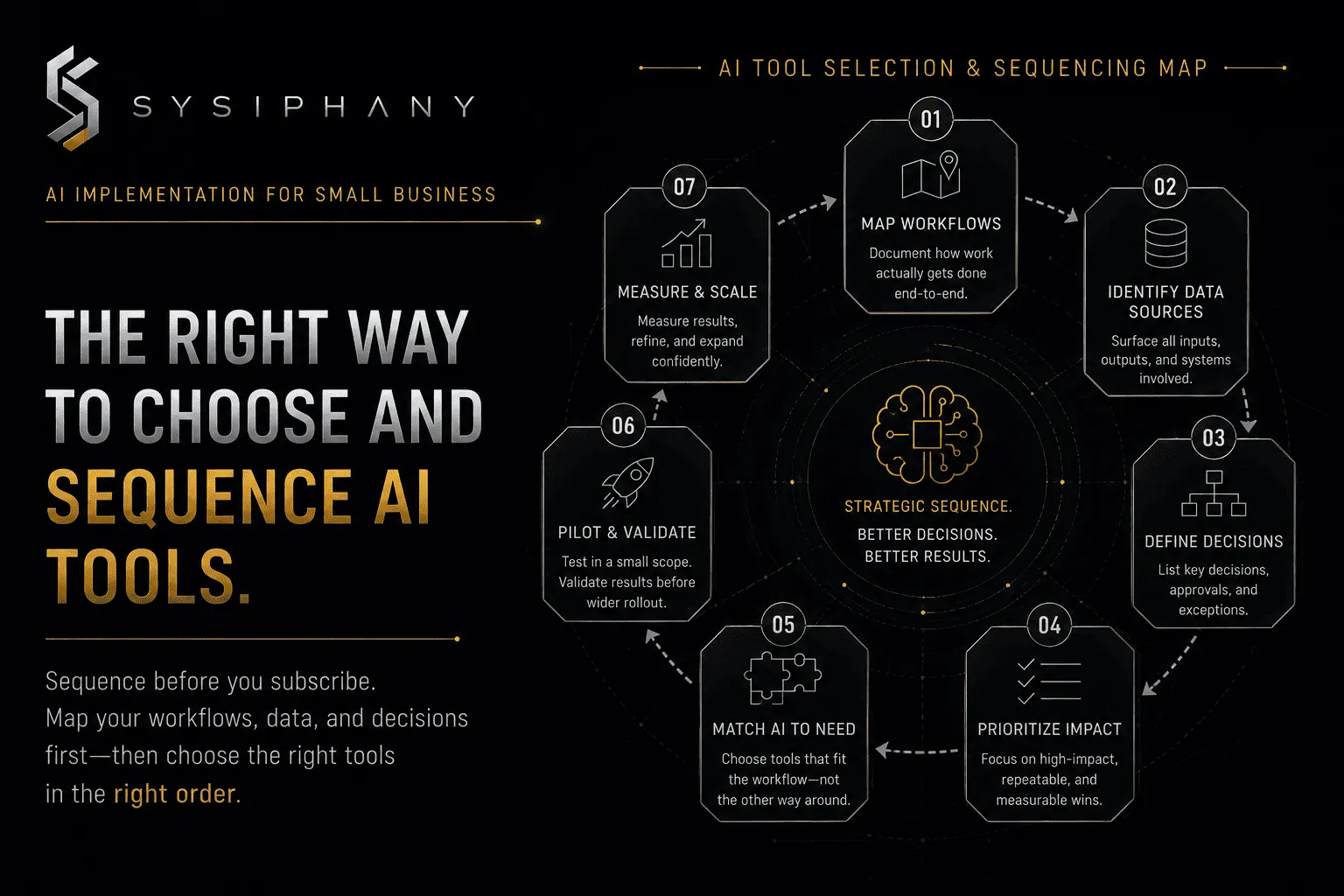
A better order of operations:
- Map one workflow.
- Clarify ownership and source of truth.
- Define what done looks like.
- Identify where human review is non-negotiable.
- Decide whether the task needs traditional automation, AI, or cleaner workflow design.
- Then compare tools against those requirements.
- Then pilot one narrow use case.
- Then expand only after measurement.
Tool selection is step six. Most businesses start at step one. That is the main reason AI tool projects fail.
What should you fix before evaluating AI tools?
You should fix the workflow constraints before evaluating AI tools.
That does not mean perfect documentation. It means enough clarity to name the trigger, inputs, source of truth, accountable owner, normal path, decision rules, exception handling, human review point, definition of done, and success measure.
A useful pre-tool audit covers five gaps:
Workflow clarity. If the team describes the process differently every time you ask, the workflow is not ready. The tool will inherit that ambiguity. Clarity does not require a long SOP. It requires a shared explanation of how work actually moves.
Source-of-truth clarity. If two systems disagree and the team still asks the founder which one is real, the business has a source-of-truth problem. AI tools need a trusted input. Before tool selection, name which system wins for each critical data point.
Ownership clarity. If nobody knows who is accountable after the tool runs, the automation will create orphan work. Ownership means one role owns the outcome, including exceptions and recovery.
Review-boundary clarity. If the team does not know which outcomes must pause for human judgment, AI will eventually make a decision that creates customer, financial, legal, or employment risk. Human review boundaries are governance, not optional.
Decision-rule clarity. If exceptions are still resolved by asking the founder each time, the workflow has hidden judgment that cannot be handed to a tool. Founder judgment must become visible examples, thresholds, escalation rules, or override conditions before AI can safely support the workflow around it.
Collectively those five gaps answer one question: can the workflow clearly state what success looks like? If not, the next step is workflow design, not vendor research.
What are the best types of AI tools for small business?
The best types of AI tools for small business depend on the workflow, not the vendor.
Start with the problem, not the product category.
Lead and inquiry management
AI can classify inbound inquiries, summarize needs, route leads, draft responses, and create follow-up tasks.
This is useful when intake logic is clear: What makes a lead qualified? What information is required before a sales call? What promises must never be made automatically?
If the team cannot answer those questions, the workflow needs cleanup, not better lead software.
Support and knowledge triage
AI can categorize support requests, suggest knowledge-base articles, draft replies, and flag complaints that need escalation.
This is useful when the support workflow has clear ownership, escalation paths, and non-negotiable human review points. Avoid fully automated customer-facing replies for sensitive, high-consequence, or emotionally charged issues.
Document and data extraction
AI can pull information from PDFs, forms, invoices, contracts, emails, spreadsheets, and vendor documents.
This is useful when the target format and source record are clear. It becomes risky when the extracted data enters an unclear system with no validation or review step.
Meeting intelligence and status summarization
AI can summarize meetings, extract action items, identify owners, and draft follow-up messages.
This is useful when the meeting process has consistent owners and a known source of truth. It is less useful when notes and commitments are scattered across inboxes, Slack, and personal files.
Content and research support
AI can research topics, draft outlines, generate first drafts, and prepare supporting material.
This is useful when a human owns the final review, accuracy, brand, and accountability. It is risky when the workflow skips review or treats draft output as final.
Operations and reporting
AI can prepare status summaries, flag missing updates, draft KPI commentary, and identify unusual changes.
This is useful when the underlying systems are aligned and trusted. It fails when reporting pulls from conflicting tools and nobody knows which number is real.
How do AI tools compare to traditional automation for small business?
AI tools handle flexible inputs: unstructured text, messy documents, variable language, emails, calls, notes, and requests that do not fit fixed rules.
Traditional automation handles structured inputs: form submissions, status changes, record updates, notifications, and predefined workflows.
Most small businesses need both.
A useful mental model:
| Task type | Best fit |
|---|---|
| Structured input, fixed rules | Traditional automation |
| Unstructured text, documents, calls | AI assistance |
| High-risk customer promises | Human judgment |
| Repetitive intake and routing | AI-assisted with human review |
| Status updates from multiple tools | Only after source-of-truth clarity |
| Reporting preparation | AI-assisted, human-owned |
The mistake is choosing AI first and inheriting the workflow constraints later. That works in demos. It rarely works in operations.
MIT Sloan research finds that AI delivers the most value when organizations redesign workflows to fit how people actually work, not when they add powerful features on top of unclear work.
What are the risks of choosing AI tools too early?
Choosing AI tools too early creates several predictable problems.
Tool sprawl
Every new tool adds a new interface, permission model, data stream, review habit, and possible point of failure. When workflows are unclear, more tools create more places for confusion to hide.
Data inconsistency
AI tools should reduce rework. If the source of truth is unclear, the tool will pull from conflicting systems and produce output that different people trust differently.
Overstated expectations
A demo shows the tool working on clean examples. Real operations include exceptions, missing data, unusual requests, and edge cases. If the workflow is not mapped, the tool fails in production and the team blames the software.
Founder re-dependency
When the tool produces inconsistent output, the founder often returns to manual review. Instead of leverage, the business gets another dashboard to monitor and another exception to resolve.
Compliance and trust risk
AI tools that send customer-facing messages, update records, or create commitments need review boundaries. Without ownership and escalation rules, automated mistakes become operational incidents.
When should a small business get help choosing AI tools?
A small business should get help choosing AI tools when the workflow is cross-functional, contains significant exceptions, relies on founder-dependent judgment, touches customer trust or financial commitments, or has not been reviewed for source-of-truth issues.
A simple reminder rule may not need outside support. A customer intake-to-fulfillment workflow with unclear promises, conflicting records, approval thresholds, and financial exposure probably does.
The right sequence is:
- Inspect the workflow.
- Clarify ownership and truth.
- Decide whether automation, AI, or simpler workflow redesign is the right fix.
- Then compare tools against those requirements.
- Build a narrow pilot.
- Then expand after measurement.
For more on the implementation sequence, read AI Implementation for Small Business.
How do you choose an AI tool without creating more chaos?
You choose an AI tool without creating more chaos by making the business requirements more visible than the vendor marketing.
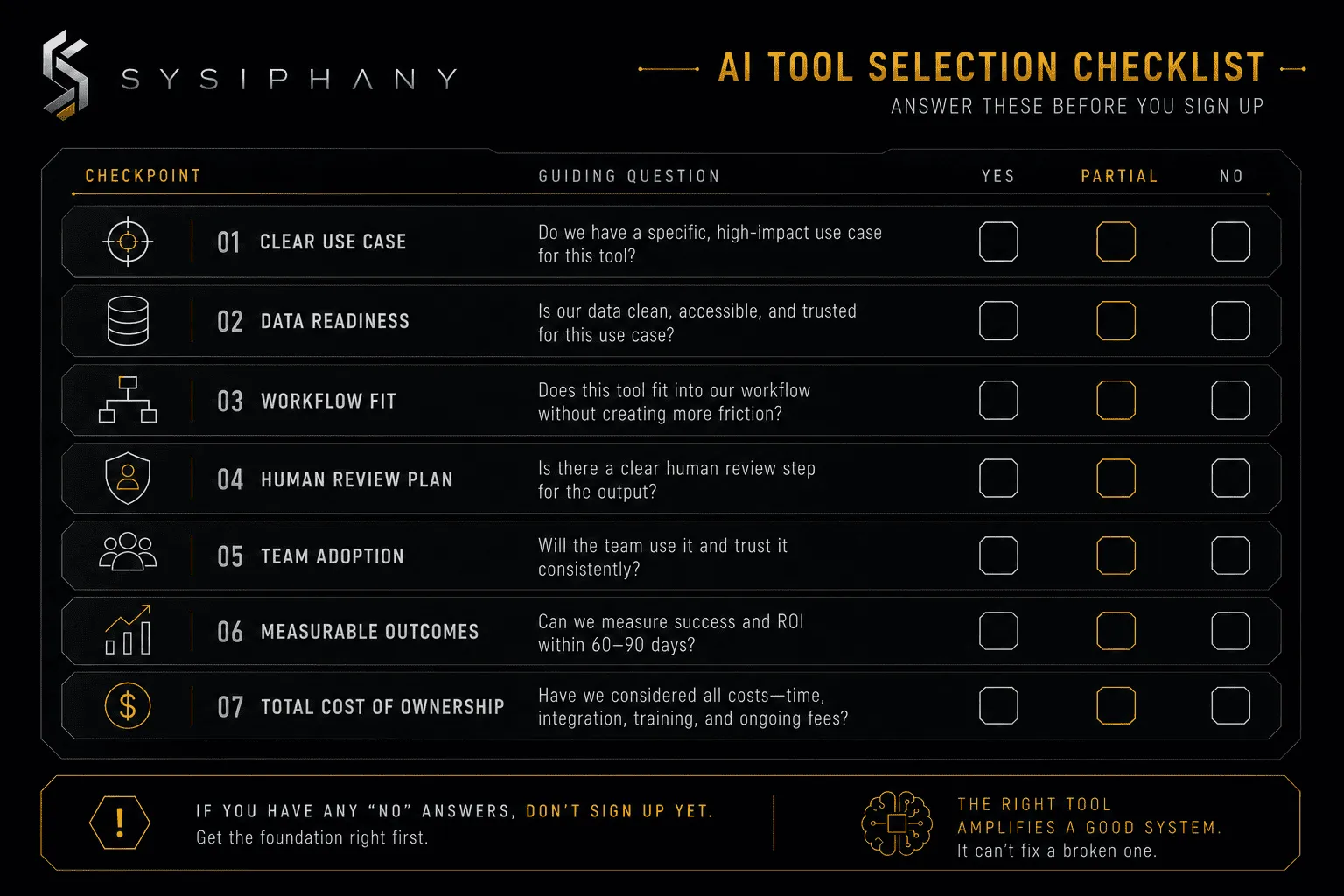
Use this checklist before purchase.
Tool-selection checklist
- Name one workflow the tool will improve.
- Map the trigger, input, source of truth, owner, path, review point, exception handling, and done criteria.
- State which decisions the tool may make without human approval.
- State which decisions must always pause for human review.
- Verify that the tool can access the source-of-truth system, not just adjacent systems.
- Confirm the team has time to test normal, edge, and failure cases.
- Define how success will be measured before rollout.
- Decide what happens when the tool is wrong.
If the business cannot complete this checklist, the workflow is not ready for tool selection.
That is not a failure. It is an accurate signal that the business should spend time on workflow clarity before spending money on a tool.
Clarity before scale. Systems before AI.
Why do AI tools fail in small business?
AI tools fail in small business when the business chooses the tool before clarifying the workflow the tool is expected to support.
The failure is almost never technical. It is operational.
Common causes:
- No owner for the workflow after automation
- No source of truth for the inputs
- No source of truth for the outputs
- No decision rule for exceptions
- No review boundary before customer-facing actions
- No definition of done
- No way to measure whether the workflow improved
- No recovery plan when the tool is wrong
If several of those are present, the business does not have a tooling problem. It has an operating-system problem.
Fixing the workflow first costs less than fixing it after a failed tool rollout.
This is why an operational audit before AI implementation often saves more money than a successful tool deployment.
What should a small business automate first?
A small business should automate repetitive, low-risk, clearly defined work where the trigger, owner, source of truth, output, and review point are already clear.
Good early candidates:
- Lead intake routing
- Meeting summaries and action items
- Support triage and draft replies
- Invoice and document preparation
- Status reporting from trusted sources
- Task creation from approved requests
- Internal reminders and follow-ups
Weak early candidates:
- Customer promises and commitments
- Pricing exceptions
- Hiring, firing, and people decisions
- Strategic tradeoffs
- Financial approvals
- Customer complaints with legal, refund, or relationship risk
- Work with unclear or conflicting source data
For a fuller breakdown of candidate selection, read AI Automation for Small Business: What to Automate First and What Business Processes Should I Automate?.
FAQ
How do I choose AI tools for my small business?
Choose AI tools for your small business only after one workflow is mapped well enough that you can name the source of truth, owner, review boundary, exception path, and definition of done. Tool selection should follow workflow clarity, not precede it.
What are the best AI tools for small business in 2026?
The best AI tools for small business in 2026 are the ones that fit an already-clear workflow, trusted inputs, and a real owner. Leading categories include lead routing, support triage, document extraction, meeting intelligence, and operations reporting. The right tool depends on the workflow, not the category ranking.
What AI tools for small business owners should they consider first?
Small business owners should consider AI tools for intake routing, meeting summaries, support triage, document extraction, status reporting, and routine follow-up first. These use cases are structured, repetitive, and easier to review than customer-facing commitment work.
Should I buy AI tools before automating a business process?
No. Buy AI tools only after one selected business process is clear enough to automate. If ownership, source of truth, decision rules, and review boundaries are missing, a tool will usually create more rework than it removes.
How do I avoid adding more chaos when implementing AI tools?
Avoid adding more chaos by defining workflow ownership, source-of-truth rules, review boundaries, exception handling, and success measures before selecting the tool. Pilot one narrow workflow, test edge cases, review results, and expand only after the operating result improves.
What risks come with choosing AI tools too early?
Choosing AI tools too early can create tool sprawl, data inconsistency, overstated expectations, founder re-dependency, and compliance risk. These happen when the tool runs before the underlying workflow is clear.
Start with the diagnosis, not the demo
The best AI tool for your business is the one that fits a workflow you already understand. The worst AI tool for your business is the one you bought because the demo looked good.
Clarify workflow first. Clarify ownership second. Clarify source of truth third. Then compare tools against those requirements.
If the evaluation feels too early, it is.
The Operational Drag Diagnostic Kit helps founder-led teams inspect workflow ownership, source-of-truth gaps, handoff failures, and AI readiness risk before adding a new tool.
Download the kit. Inspect the workflow. Choose the tool after the system is ready.
Download the Operational Drag Diagnostic Kit
Use the Operational Drag Diagnostic Kit to inspect:
- Workflow clarity before tool selection
- Source-of-truth conflicts that will break AI output
- Ownership gaps that will create orphan work
- Decision-rights ambiguity that will create founder dependency
- Review-boundary gaps that will create trust and compliance risk
- AI readiness before any vendor conversation
Stop adding chaos. Start with clarity.
Download the Operational Drag Diagnostic Kit
Next steps
If you want to move from tool evaluation to implementation, read AI Implementation for Small Business: How to Build AI That Actually Works and book a SYSIPHANY discovery call to bring one real workflow into review.