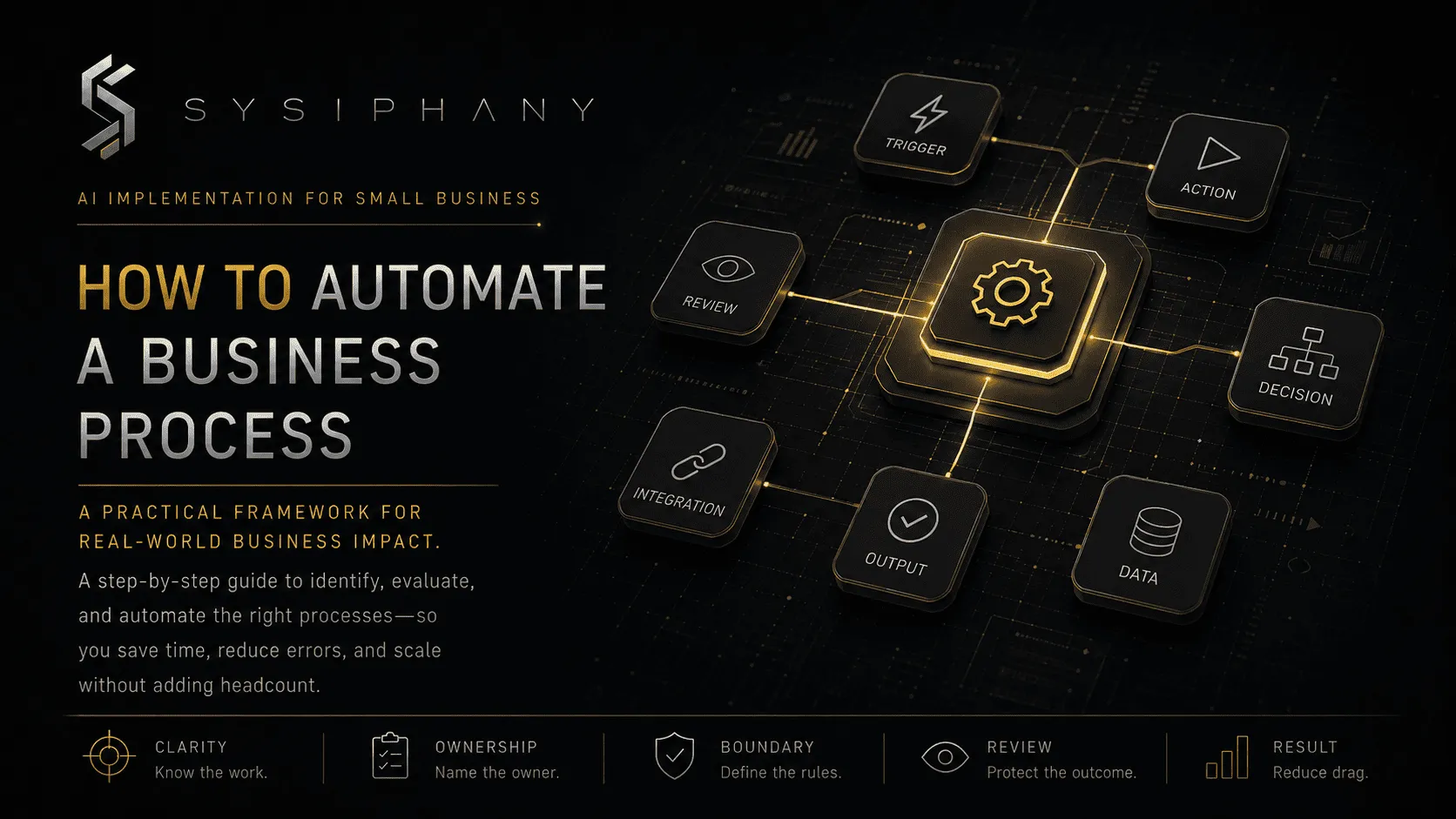
Knowing what to automate and turning it into a reliable automated workflow are separate decisions.
Most failed automations do not fail because the software cannot move data, create a task, draft a message, or update a record. They fail because the business automated an incomplete understanding of the work. The team documented the normal path but not the exceptions, recognized the trigger but omitted required inputs, or created the next task without assigning ownership for what happened afterward.
To automate a business process well, map the operating logic before connecting tools. The Object Management Group’s Business Process Model and Notation supports a shared, visible process model that business and technical teams can use before implementation.
Quick answer: how do you automate a business process?
To automate a business process, define the process scope, trigger, required inputs, source of truth, owner, normal path, decision rules, exception path, human review points, completion criteria, and success measures. Then remove unnecessary steps, build one narrow pilot, test normal and edge cases, and expand only after the workflow proves stable.
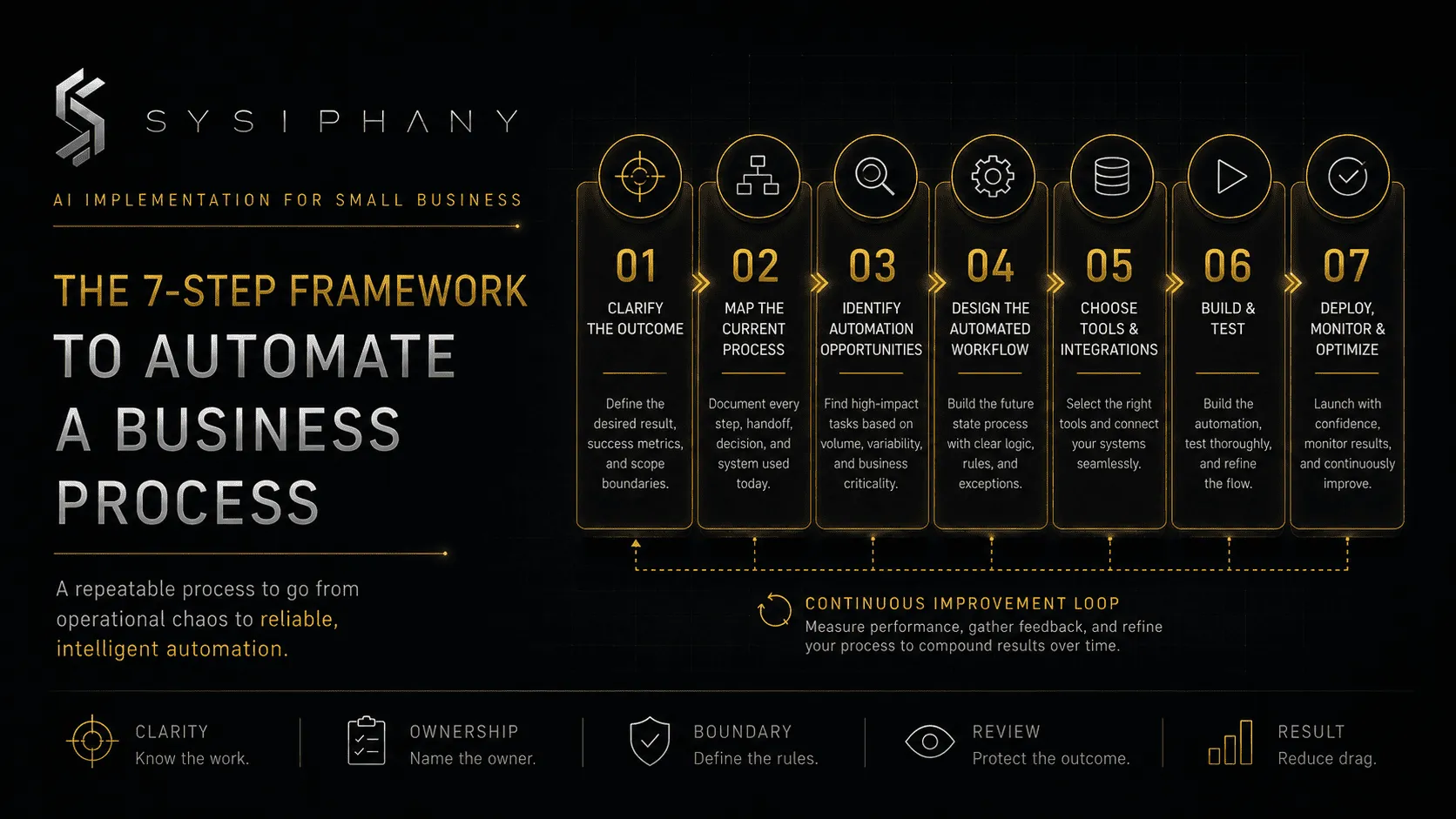
The sequence is:
- Confirm that one selected process is ready.
- Narrow the automation scope.
- Define the trigger.
- List required inputs.
- Choose the source of truth.
- Assign one accountable owner.
- Map the normal path.
- Write decision rules.
- Define exceptions and escalation.
- Place human review where consequence begins.
- Define done.
- Remove unnecessary steps.
- Choose traditional automation, AI, or both.
- Build a controlled pilot.
- Test normal, edge, and failure cases.
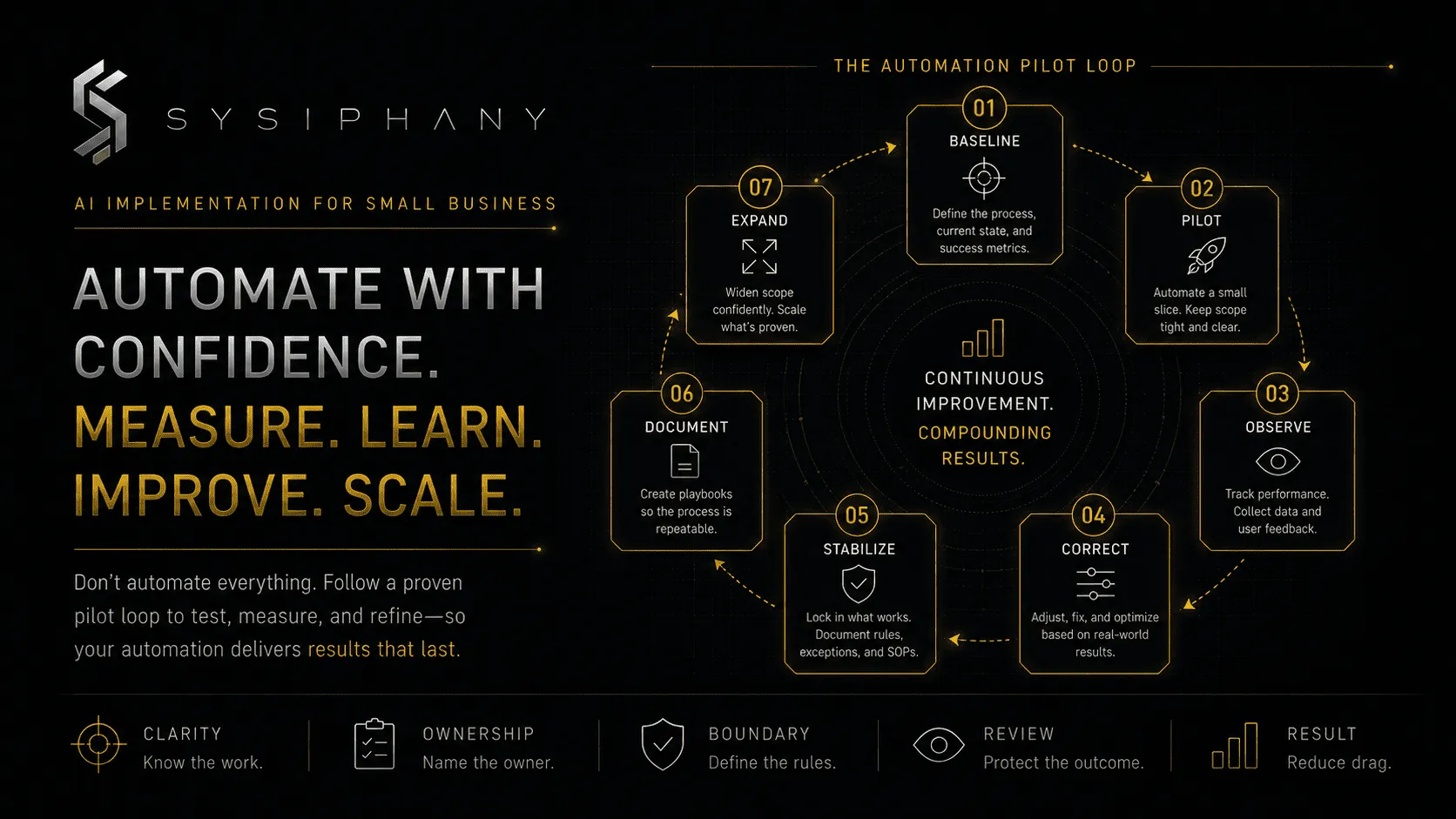
- Measure the operating result.
- Expand only after the workflow proves stable.
Do not begin with the tool.
Begin with the process the tool is expected to support.
Step 1: Is the selected business process ready for automation?
Confirm that the selected process is frequent, repeatable, sufficiently stable, and low-risk enough for a controlled pilot. It should have an identifiable owner, trusted inputs, a predictable output, and an accessible review path.
This is a readiness check, not a process-selection exercise. If the workflow still changes every time, depends heavily on undocumented founder judgment, or creates commitments involving money, employment, safety, legal exposure, or customer trust, clarify it before implementation.
If the process itself has not been selected, use the six-factor scorecard in What Business Processes Should I Automate? first. The remaining steps assume that selection is complete.
Step 2: How narrow should the automation scope be?
The scope should be narrow enough that one person can explain the trigger, path, owner, output, and exception conditions without using phrases like “and then it depends.”
“Automate sales” is not a useful scope; “create a delivery project after an approved deal reaches Closed Won” is. “Automate customer service” is too broad; “classify inbound support requests and route billing questions to the finance queue” is specific enough to map.
A narrow scope makes failures easier to locate, results easier to measure, and learning possible before the automation touches more consequential work. Automation should earn expansion through evidence.
Step 3: What exactly triggers the workflow?
The trigger is the observable event that starts the process.
A good trigger is specific, testable, and tied to an approved source.
Examples include a submitted form, an approved CRM stage, a stored signed agreement, an overdue invoice, or a project status changing to Ready for Review.
Avoid triggers based on vague interpretation, such as “when the client seems ready” or “when something looks urgent.”
When judgment is required to recognize the trigger, define the judgment rule or keep a human initiation step.
Step 4: What inputs must exist before automation begins?
List every piece of information the workflow needs to run correctly.
Required inputs may include the customer or account identifier, approved service or product, contact details, delivery date, project owner, source document, pricing or scope data, approval status, and required attachments.
Separate required inputs from useful inputs. If the workflow cannot proceed safely without a field, document what happens when it is missing. The system should pause, reject, or request the information rather than guess silently.
Step 5: Which system is the source of truth?
Choose the system or record that wins when information disagrees.
A workflow cannot be reliable when the CRM, spreadsheet, inbox, project board, and founder memory all carry different versions of the truth.
For each critical data point, define:
- Where it originates
- Where it is approved
- Where it is stored
- Who may change it
- Which version takes priority
- What happens when records conflict
For example:
| Information | Source of truth | Conflict rule |
|---|---|---|
| Client contact | CRM account record | CRM wins unless account owner approves a change |
| Signed scope | Contract repository | Signed agreement overrides proposal drafts |
| Delivery status | Project system | Project owner updates status |
| Approved price | Final order or contract | Draft quote cannot trigger fulfillment |
| Payment status | Accounting system | CRM notes are informational only |
When the source of truth is unclear, fix it before automation. Connecting more tools only distributes the disagreement faster.
For a deeper diagnosis, read Why Your Tech Stack Has No Source of Truth.
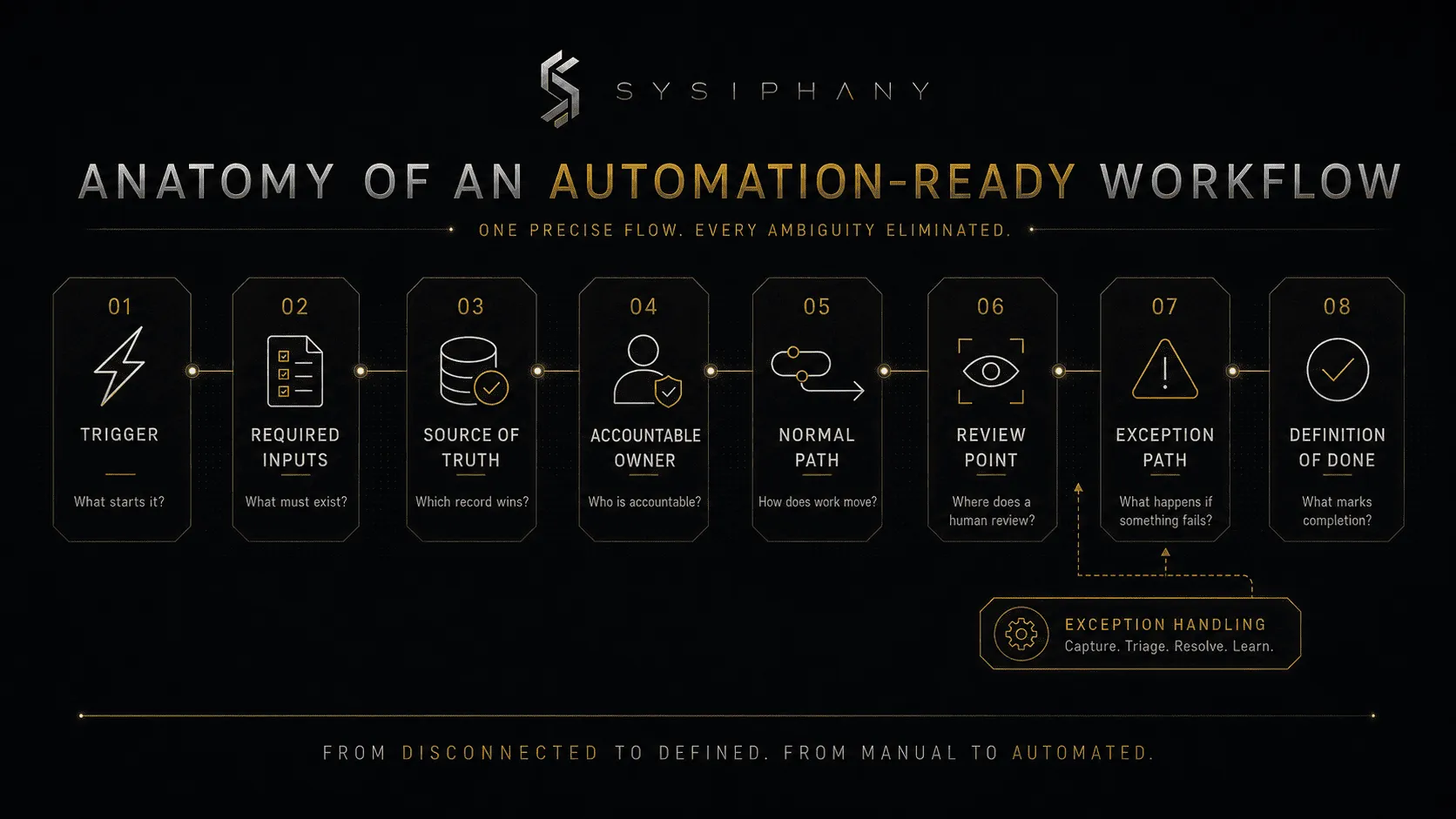
Step 6: Who owns the automated process?
Assign one role that remains accountable for the outcome after automation is introduced.
The owner does not need to perform every step, but does need authority to define the workflow, approve changes, review performance, resolve exceptions, correct bad outputs, coordinate affected teams, and decide whether the automation should continue.
Automation can execute work, but it cannot absorb accountability. Name one accountable role and list supporting roles separately.
Step 7: How do you map the normal process path?
Map the smallest useful sequence from trigger to completion.
For each step, capture:
| Field | Question |
|---|---|
| Step | What happens? |
| Actor | Who or what performs it? |
| Input | What information is required? |
| Output | What is produced or changed? |
| System | Where does the step occur? |
| Rule | What determines the next step? |
| Risk | What could go wrong? |
| Recovery | How is the error detected and corrected? |
A simple sales-to-delivery example might look like this:
- Deal reaches Closed Won.
- System checks for signed scope, approved price, delivery owner, and start date.
- Missing information creates a task for the account owner.
- Complete information creates the delivery project.
- Standard tasks and milestones are applied.
- Delivery owner reviews the handoff.
- Approved project status changes to Ready to Start.
- Client kickoff preparation begins.
The automation is not simply “create a project.” It is the full operating path around project creation.
Step 8: Which decisions need explicit rules?
Write the decision rules the team currently handles through habit, memory, or informal judgment.
Decision rules may cover routing, approval and confidence thresholds, priority definitions, required-field checks, duplicates, escalation conditions, time limits, permissions, customer exceptions, and financial limits.
A usable rule is observable.
Weak rule:
Escalate important customers.
Stronger rule:
Escalate requests from enterprise accounts, accounts with an open renewal in the next 60 days, or accounts with two unresolved incidents in 30 days.
The goal is to make recurring judgment visible enough that people and systems can apply it consistently, not to remove judgment from the business.
Step 9: How should exceptions be handled?
Define what happens when the process leaves the normal path.
Common exceptions include missing information, conflicting or duplicate records, unsupported requests, low-confidence AI output, customer-specific commitments, policy conflicts, deadline risk, system or permission failures, financial exposure, and sensitive people issues.
Every exception needs four elements:
- Detection: How does the workflow know something is wrong?
- Pause: Which automated action must stop?
- Owner: Who reviews the exception?
- Resolution: What must happen before the workflow resumes?
Do not bury exceptions in an error log nobody checks. The exception path is part of the workflow.
Step 10: Where should a human review the workflow?
Place human review before the automation creates a meaningful commitment, acts on uncertain information, or enters a high-consequence area.
Useful review points include client-facing messages, price or scope exceptions, refunds, financial-record changes, sensitive complaints, employment decisions, missing or conflicting information, low-confidence AI output, and requests outside normal policy.
The UK Government’s Mitigating Hidden AI Risks Toolkit supports deliberate human oversight and attention to organizational risks when AI is embedded into real work.
Human review should have a reason. Adding approval everywhere creates a system that runs automatically until a person must manually verify every action. Start at the point of consequence, then remove review only after the workflow proves accurate, stable, and recoverable.
Step 11: What does “done” mean?
Define the exact state that marks successful completion.
“Processed” is too vague.
Useful completion criteria include the required record, assigned owner, completed mandatory fields, attached approved document, customer notification, updated status, recorded review, resolved exception, downstream confirmation, and stored audit trail.
A process is complete when the operating outcome exists and the next owner has what they need, not merely when the automation reaches its final technical step.
Step 12: What should you remove before automating?
Remove unnecessary steps, duplicate entry, unused reports, weak approvals, and tool handoffs before building the automation.
Ask:
- Does this step create value?
- Does anyone use this report?
- Is this approval protecting a real risk?
- Can two fields become one?
- Can one system replace a manual transfer?
- Can a policy replace repeated founder approval?
- Can the workflow end earlier?
- Can the request be prevented at the source?
A six-step process may become a three-step process before any tool is connected. That is a better operating decision, not a smaller automation win.
Strategy precedes automation.
Subtraction precedes optimization.
Step 13: Should you use traditional automation or AI?
Use traditional automation when rules and inputs are structured, and AI when the workflow must interpret unstructured text, documents, calls, or variable language.
Traditional automation suits fixed triggers, record updates, task creation, notifications, routing by known values, and moving approved data. AI suits summarization, extraction, classification, comparison, drafting, and recommendations.
A hybrid support workflow might use AI to classify and summarize an email, rules to route it, a human to review high-risk cases, and traditional automation to create the task and update the record.
AI interprets, rules govern, and humans remain accountable.
For the broader implementation sequence, read AI Implementation for Small Business.
Step 14: How do you build the first automation pilot?
Build the smallest version that can prove the workflow works end to end.
A controlled pilot should include one process, one trigger, one accountable owner, a limited user group, defined test data, normal and exception cases, failure alerts, a human fallback, baseline measurements, and a review date.
Do not pilot across the entire company, connect every available system, or automate five adjacent workflows because the tool makes it easy. Keep the boundary tight enough that the team can identify what happened and why.
Step 15: How should you test an automated workflow?
Test the normal path, edge cases, failure conditions, permissions, timing, duplicate behavior, and recovery path before relying on the automation.
Use a test table:
| Test type | Example | Expected result |
|---|---|---|
| Normal path | Complete approved input | Workflow completes |
| Missing input | Required field absent | Workflow pauses and assigns correction |
| Duplicate | Same request submitted twice | Duplicate is blocked or merged |
| Conflict | Systems disagree | Workflow pauses for owner review |
| Permission | User lacks access | Error is visible and routed |
| AI uncertainty | Low-confidence classification | Human review is required |
| System outage | Downstream tool unavailable | Retry or fallback occurs |
| Reversal | Incorrect action detected | Owner can correct or roll back |
| Timing | Event arrives late or out of order | Workflow applies the correct state rule |
| Exception | Request outside policy | Escalation path activates |
A demo proves the workflow can run once. Testing proves the system can operate.
Step 16: How do you measure whether automation worked?
Measure whether the entire workflow became faster, lighter, clearer, and more reliable.
Useful measures include cycle time, manual touches, hours returned to the team, error and rework rates, escalations, founder interruptions, missed handoffs, customer corrections, acceptance without revision, team adoption, exception volume, and recovery time.
Do not use “number of automated tasks” as the primary result. An automation can create thousands of actions while increasing noise, review, and cleanup.
The useful question is:
Did the operating system improve?
Step 17: When should you expand the automation?
Expand only after the workflow is stable, measurable, adopted, and recoverable.
Before expanding, confirm that the normal path works consistently, exceptions are visible, ownership and recovery are documented, errors are detectable, the team uses the workflow, human review is deliberate, and the automation improved the whole process without shifting work downstream.
Then expand one dimension at a time: more volume, more users, another business unit, another input type, another approved decision rule, or another connected system. Do not increase all of them at once.
Intelligent infrastructure compounds only when each layer is stable enough to support the next.
What does a complete automation-ready workflow map contain?
A complete automation-ready workflow map contains the following elements:
Process name:
Business purpose:
Scope:
Trigger:
Required inputs:
Source of truth:
Accountable owner:
Supporting roles:
Normal path:
Decision rules:
Exception conditions:
Escalation owner:
Human review point:
Completion criteria:
Systems involved:
Permissions:
Failure alerts:
Recovery method:
Baseline measures:
Pilot boundary:
Success measures:
Change owner:
Review cadence:
If several of these fields are unclear, the workflow is not ready for implementation. The map has found the real work before automation made it expensive.
How can the Operational Drag Diagnostic Kit help?
The Operational Drag Diagnostic Kit helps identify the ownership gaps, broken handoffs, source-of-truth conflicts, duplicate work, and founder-dependent decisions that should be resolved before automation.
Use it before mapping when:
- The team describes the process differently
- Work moves across several tools
- The founder resolves most exceptions
- Nobody owns the end-to-end result
- The workflow creates repeated rework
- Automation opportunities are everywhere but priorities are unclear
Start with the Operational Drag Diagnostic Kit
Download the Operational Drag Diagnostic Kit
When should you get outside help?
Get outside help when the workflow crosses teams or systems, contains significant exceptions, depends on undocumented founder judgment, or creates customer, financial, legal, or people-related consequences.
A simple reminder workflow may not need outside support. A sales-to-delivery-to-finance process with unclear commitments, conflicting records, approval thresholds, and customer-facing actions probably does.
Implementation risk is measured by the consequence of getting the steps wrong, not only by their number.
Bring the workflow into a SYSIPHANY discovery call
Book a SYSIPHANY discovery call
FAQ
What are the main steps to automate a business process?
The main steps are to define the process, trigger, inputs, source of truth, owner, normal path, decision rules, exceptions, human review, completion criteria, and success measures. Then simplify the workflow, build a narrow pilot, test normal and edge cases, and expand only after the process proves stable.
Do I need to document a process before automating it?
You do not need a large SOP, but you must make the operating logic visible. The team should be able to explain the trigger, inputs, owner, path, rules, exceptions, review point, and definition of done before implementation.
How long does business process automation take?
A narrow workflow may be mapped and piloted quickly, while cross-functional automations take longer because ownership, data, exceptions, permissions, and adoption must be resolved. Scope and consequence matter more than the number of automation steps.
What is the difference between workflow mapping and automation design?
Workflow mapping documents how work moves from trigger to completion. Automation design determines which steps are handled by rules, AI, integrations, or humans, including failure recovery and oversight.
Can AI automate an entire business process?
AI can support interpretation, drafting, classification, extraction, and recommendations inside a business process. Full automation is appropriate only when ownership, risk, decision rules, exceptions, and review boundaries are clear.
Where should humans stay involved?
Humans should remain involved where the workflow creates commitments, affects trust, handles exceptions, acts on uncertain information, or carries customer, financial, legal, safety, or employment consequences.
How do I prevent automation from creating more work?
Start with one narrow workflow, remove unnecessary steps, define ownership and exceptions, test edge cases, measure total rework and review time, and expand only after the operating result improves.
What is the best first tool for business process automation?
The best first tool is the one that fits the clarified workflow, current systems, data access, risk, and team adoption. Tool selection should follow process design rather than determine it.
Final rule
Do not automate the process people describe in a meeting.
Automate the process the business can define, own, test, recover, and improve.
Clear trigger.
Clear truth.
Clear owner.
Clear rules.
Clear exceptions.
Clear review.
Clear result.
Then build.